

Mreco airtel com is a digital business portal that was established by Bharti Airtel to its authorized retailers, distributors, and channel partners in India. It is not intended to be used by normal customers but rather, it is a back-end operational system that assists Airtel partners to control SIM activations, broadband and DTH connections, commissions, reports and customer accounts in a secure location. Airtel depends on its retailer network more in a country such as India which activates millions of new mobile and broadband connections monthly, and where mreco airtel com is used to simplify and digitize telecom retail business, particularly in tier-2, -3 and rural markets. In this article the complete information about mreco airtel com will be discussed.
What is mreco airtel com?
Mreco airtel com is a business dashboard with limited access designed by Bharti Airtel to its partners who have been verified. It acts as a centralized control panel in which retailers are able to control SIM activations, broadband and DTH bookings, MNP requests, KYC handling and commission tracking. The portal is built with the internal authentication system of Airtel that does the ADSSO system where only the users with valid OLM IDs can gain access. This platform is unlike the consumer applications like Airtel Thanks, it is strictly business focused and it is meant to minimize the paper work, errors and accelerate the delivery of services.
Core Services Offered by mreco airtel com
- SIM Card Activations: Retailers have the ability to activate prepaid and postpaid SIMs through completion of eKYC, with CAF information and real-time monitoring of the activation status. This gets rid of physical forms altogether.
- Broadband & DTH Connections: It is possible to book Airtel Xstream Fiber and DTH services, schedule installations, and monitor the progress of orders directly in the portal.
- Mobile Number Portability (MNP): Other network (Jio, Vi, BSNL) port-in requests are digitized and hence the switching process is faster to the customer.
Key Features of mreco.airtel.com
The main key Features of mreco airtel com are given below :
Service Activation Module
This is the portal feature that is commonly used. Retailers are able to input customer information, upload or verify eKYC and also create CAF or reference numbers as well as monitor approvals or rejection of activations. In the case of bulk activation, daily operations of high-volume partners are simplified to even greater extents.
Commission and Earnings Dashboard
The commission dashboard will provide full transparency on earnings. Retailers will be able to see per-SIM commissions, broadband and DTH incentives, target-based bonuses, and special promotional payouts on real-time basis. This eliminates the reliance on distributors to make clarity of payments and enables partners to plan their sales strategy well.
Customer Management System
Customer data pertaining to all the activations is securely kept in the portal. Retailers will be able to check the history of activating different features, change the KYC information, upgrade the plan and address customer complaints or service requests. This centralized system enhances the after-sales service and the creation of long term customer confidence.
Reports & Analytics
mreco airtel com offers advanced reporting features which enable retailers to download daily sales, weekly sales or monthly sales reports. The reports on success and failures of activations, the commission reports, and the region-based performance is in Excel and PDF formats, which makes them convenient in accounting, audits, and business analyses.
Help & Support Tools
The portal has in-house support facilities including frequently asked questions, step-wise instructions, training videos, and a ticket-raising option. The escalation channels of Airtel will also be accessible through the dashboard to the retailers and majority of the technical or operational troubles are normally resolved within a few hours.
Steps to logging in to mreco airtel com.
To log-in to the portal, a partner of Airtel needs to possess a valid OLM ID (with prefix of B00) or an activated Airtel mobile number. These credentials will make sure that only authorized retailers will gain access to the system.
Step 1: Visit the Portal
Type in open mreco airtel com to any mobile or desktop browser. It will automatically redirect you into the secure ADSSO login of Airtel.
Step 2: Enter Login Details
You must enter your OLM ID or registered Airtel mobile number on the login screen. Ensure that the information is consistent with records of registered partners.
Step 3: OTP Verification
You will receive an OTP in your registered mobile number. Entered the OTP to carry out the authentication.
Step 4: Access the Dashboard
Once the verification is successful, the partner dashboard will appear immediately. The portal is convenient to the shop owners as it is mobile friendly.
Registration & Partner Onboarding for mreco airtel com
On mreco.airtel.com, there is no direct self-registration. The approved onboarding process can only allow officially confirmed Airtel partners.
Step 1: Via Formal Channel
The application would require starting through an Airtel distributor or the official Airtel partner channel. This is to affirm that you are interested in being part of the retailer network of Airtel.
Step 2: Applicants Provide Necessary documents
Produce documents e.g. Aadhaar, PAN, proof of shop address, and certificate of GST in case it is available. Verification can be avoided by having accurate and clear documents.
Step 3: Use the Airtel Mitra App
Install the Airtel Mitra application with your registered cell number. This application is essential in carrying out retailer checking procedures.
Step 4: Finalize POS Checking
Add shop images and undergo biometric or OTP based authentication within the application. This is to verify your physical presence in business.
Step 5: Receive OLM ID
Upon approval of verification, Airtel releases your special OLM ID. This ID is your official retailer log in identity.
Step 6: Sign-in to mreco.airtel.com
You can be registered using your OLM ID or registered mobile number to log in to the portal. Once you have logged you are able to initiate activations and commissions.
Approval Timeline
The majority of the applications are granted in 24-72 hours. The reasons behind the delays are mostly due to the unclarity or mismatch of documents.
POS Verification on mreco airtel com Explained
Step 1: Start POS Verification
Verification of POS (Point of Sale) is required to ensure that you are an authentic Airtel retailer. In absence of this process, Airtel system and portals access is limited.
Step 2: Add Shop Photographs
You are required to post transparent images of your shop using Airtel Mitra application. These photos confirm your physical address of your business.
Step 3: Aadhaar Verification
Use your Aadhaar number and verify via OTP or by biometrics authentication. This measure authenticates the identity of the retailer in accordance with the KYC regulations.
Step 4: Upload Business Proof
present acceptable business papers like shop license, rental contract or utility bill. These reports form ownership or permission of the retail outlet.
Step 5: Hand in Affidavit (Where necessary)
In other instances, Airtel can request the signing of an affidavit of business details. Complete the affidavit and upload the affidavit as required in the app.
Step 6: Approval & Portal Access
Once you have been verified successfully, your POS request is granted by Airtel. After the approval, the entire access to mreco airtel com is achieved automatically.
New user Registration steps on mreco airtel com
Follow these steps of register as new user:
Step 1: Confirm Eligibility
To begin with, make sure you are eligible with an approved Airtel distributor/partner. This is to guarantee that you fulfill the minimum requirements of becoming a retailer at Airtel.
Step 2: Transfer Registration Documents
Provide necessary documents like Aadhaar, PAN, shop address documents, GST (where possible). Ensure that information is clear and precise to prevent wastage of time.
Step 3: Finish POS Checking
Complete POS verification process via the Airtel Mitra application by uploading shop photos and doing Aadhaar verification. This is done to identify your identity and business address.
Step 4: Receive OLM ID
Upon verification and successful verification, Airtel assigns your individual OLM ID. This ID is necessary in order to access all Airtel retailer systems.
Step 5: Login to mreco.airtel.com
Enter OLM ID or registered mobile number to access the portal. After logging in, you will be able to use the entire retailer dashboard.
Step 6: Explore Tutorials
Follow the in-built tutorials and instructions found on the portal. These are the resources that assist you in knowing about activations, reports and commissions.
Step 7: Start First Activation
Start your first SIM, broadband or DTH using the dashboard. This assists you in becoming accustomed to the actual working process.
Step 8: Monitor Commissions per Week
Monitor your commission and incentive dashboard. Weekly tracking assists you to track incomes and set improved targets of sales.
Is mreco airtel com Safe or not?
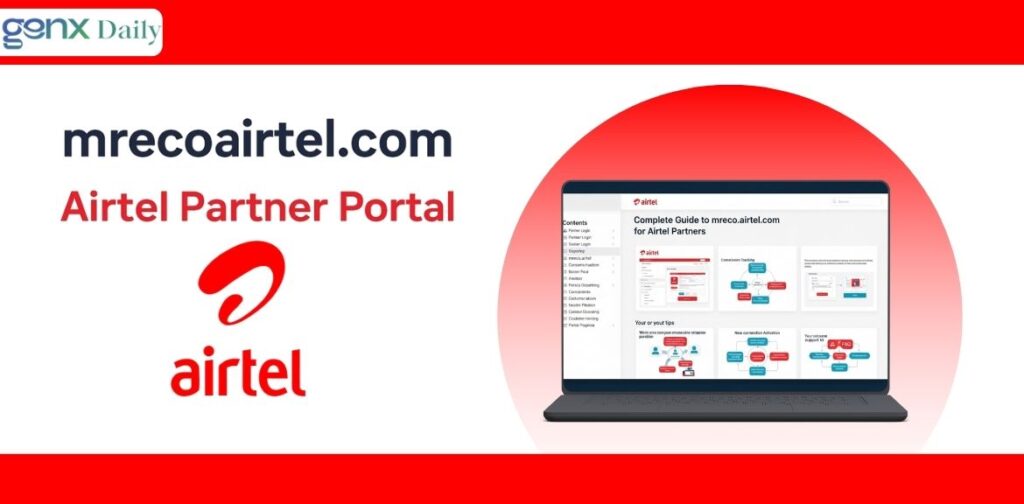
Airtel maintains enterprise level security standards to safeguard data of retailers and customers on its systems. The platform is secured with the help of the use of the encryption of messages through the use of the SS, the use of OTP in order to get access, the use of two-factor authentication, and the use of role-based access control in order to avoid unauthorized access and misuse of data. Simple security best practices that retailers are encouraged to observe include never disclosing their OLM ID or OTP to anyone, not using public or unsecured Wi-Fi networks, and ensuring that they log-out after they are through with their work and to only believe official Airtel emails that belong to verified domains of Airtel email. These measures are necessary since retailers work with confidential customer KYC and personal data on a regular basis, and data safety comes to the forefront of their priorities.
Common Problems & Solutions in mreco airtel com
| Issue | Reason | Solution |
| Login failed | Wrong ID / OTP | Reset & retry |
| Activation pending | Incomplete KYC | Recheck documents |
| Slow dashboard | Network issue | Clear cache / switch network |
| Commission delay | Processing cycle | Wait 24–48 hours |
| POS rejection | Blurry photos | Re-upload clear images |
Most issues can be fixed without distributor intervention.
Benefit of Using mreco airtel com
Benefits for Retailers
mreco airtel com assists the retailers to deliver services to their customers more quickly by allowing the digital activation process and using paperless methods. The transparency of commissions and a decrease in paperwork, increased number of activations per day and improved management of business processes enable retailers to enhance efficiency and earnings overall.
Benefits for Airtel
In the case of Airtel, the portal enhances its ecosystem of retailers through standardization and security of operations through the network. It assists in minimizing fraud, aids in rapid network growth and customer satisfaction due to increased speedy service delivery and reliability.
Role in Telecom Growth of India
With India passing the 1.2 billion mobile subscribers, web sites such as mreco airtel com have become a critical component of the massive telecom operations. The portal helps Airtel roll out 5G, facilitates digital onboarding in rural and semi-urban locations, facilitates paperless telecom operations, and also allows a faster last-mile connectivity network. As a cornerstone of the Airtel nationwide retail and distribution model, mreco airtel com allows the retailer to have real-time tools and secure access to the network.
Further Updates and Expected Improvements
According to industry experts, Airtel would most likely upscale mreco airtel com to a superior digital capacity in the next few years. The anticipated upgrades are AI-based validation of activation, smart sales prediction tools, automated fraud detection systems, closer insights into the performance of the retailers, and better integration with Airtel Payments Bank offerings. Such enhancements would enhance the portal to be smarter, safer, and more data-driven, which would add additional value to the portal to both retailers and the overall business ecosystem of Airtel.
Conclusion
The mreco airtel com is not just a login portal. It is the Airtel giant retail network in India that is back-boned by digital. Whether it is SIM activations or commission transparency, wideband bookings or analytics, the portal gives the retailers the power to work smarter, quicker and more profitably. To any person who intends to be an Airtel partner or those who have already started an Airtel retail business, it is imperative to know and learn mreco airtel com to succeed in the long run.
FAQs
The mreco airtel com is a partner portal of Airtel which is official and is utilized in SIM activations, broadband and DTH bookings, MNP requests, KYC processing, and commission tracking.
2. Who has access to mreco.airtel.com?
The portal is restricted to verified Airtel retailers, distributors, franchise owners and Airtel Mitra-approved partners that have a valid OLM ID.
3. Are regular customers able to log into the mreco.airtel.com?
No, it is a portal that is not to be used by anyone other than business and partners. Airtel regular consumers ought to utilise consumer applications, such as Airtel Thanks.
4. What is an OLM ID?
OLM ID is a special retailer identification number by Airtel following a successful registration and POS validation.
The portal allows you to change your login, monitor your internet connection, or initiate a support ticket, which is quick, fast, and easy.